About This Tool
Free Online PDF Annotator 2027 – Highlight, Comment & Draw on PDFs Instantly
PDFs are everywhere today — contracts, reports, research papers, drafts, design proofs, and client documents. They look professional, but they come with one common problem: you can't easily mark them up.
Need to highlight a key clause in a contract? Add a reviewer comment to a draft? Underline a mistake in a report? Draw a quick note on a design proof? Most people assume they need Adobe Acrobat or a paid annotation app.
In 2026, you don't. You can annotate PDF files directly inside your browser — in seconds, for free.
👉 Annotate Your PDF Now — Free & Private
What Does a PDF Annotator Do?
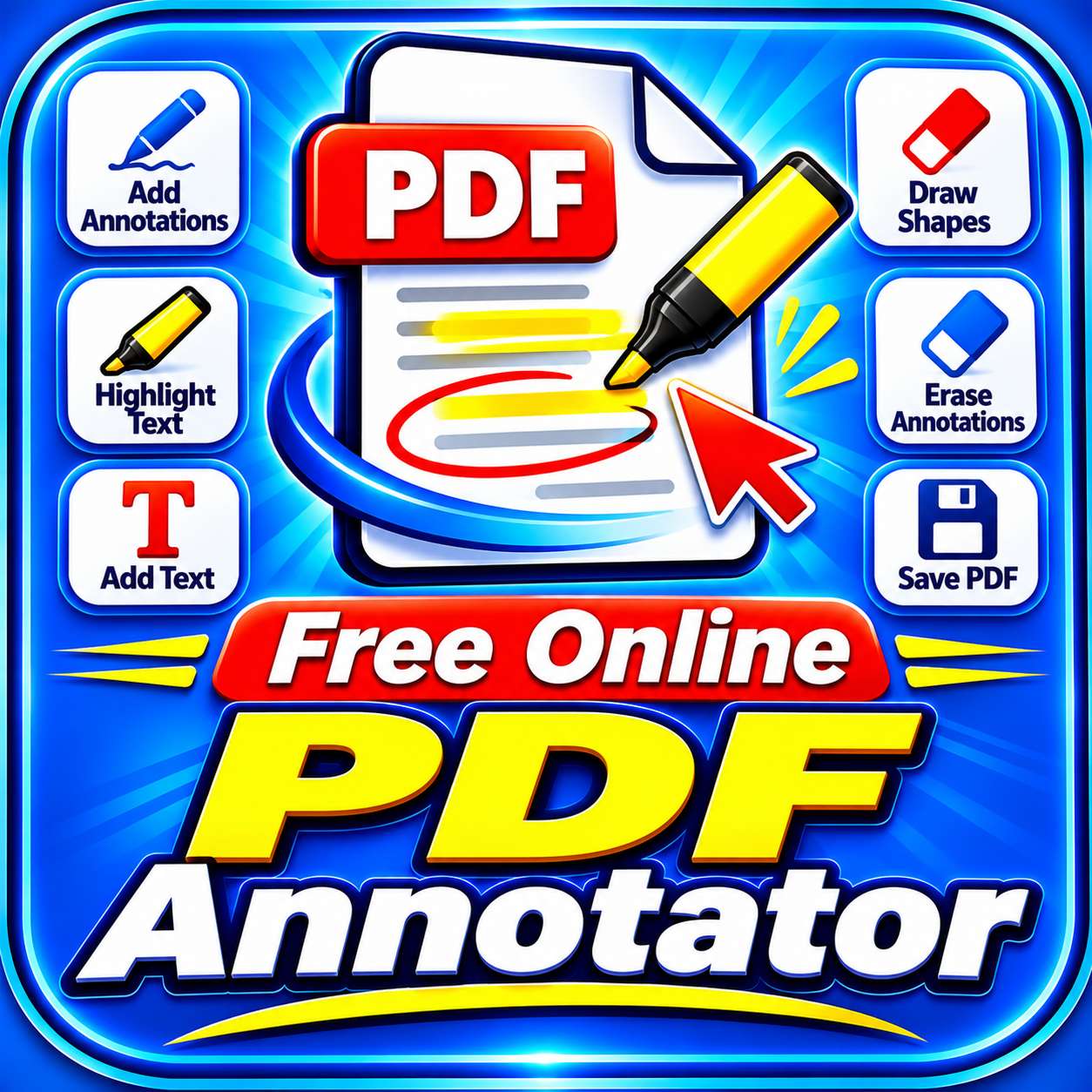
A PDF annotator lets you add notes, highlights, and markings to an existing PDF without changing its original content.
With our tool, you can:
-
Highlight text in five colors (yellow, green, pink, blue, orange)
-
Add sticky notes / comments with an author name for review workflows
-
Underline, strikethrough, or box important text with markup tools
-
Draw freehand with your mouse or finger — perfect for signatures, arrows, and quick notes
-
Undo the last annotation with one click
-
Clear all annotations on the current page instantly
The result is a polished, annotated PDF — same original file, your notes and highlights on top, ready to download and share.
A good PDF annotator should never force you to install software or upload your private documents to a server. Our tool does neither.
Why Choose Our PDF Annotator in 2026?
There are many PDF tools online. Here is what makes this one different.
1. Your Files Are Never Uploaded
This is the biggest reason people choose this tool.
Most online PDF annotators upload your file to a server, process it there, and then send it back. That means your private documents — contracts, drafts, medical reports, business files — sit on someone else's machine.
Our annotator works differently. It runs entirely inside your browser tab using PDF-Lib and PDF.js. Your files are never uploaded, never stored, and never seen by anyone. Not even by us.
If privacy matters to you, this is the safest way to annotate a PDF online in 2026.
2. Four Annotation Modes in One Tool
Instead of juggling multiple apps, you get all annotation types in one place:
-
🖍️ Highlight — mark text in five colors with adjustable opacity
-
💬 Sticky Note / Comment — add reviewer notes with an author name and theme color
-
📏 Underline / Box Markup — underline, strikethrough, or box important text
-
✍️ Freehand Draw — draw with your mouse or finger in red, blue, black, or green ink
3. Click-and-Drag Precision
You don't have to guess where your annotation will land. Simply click or drag anywhere on the page preview, and the tool automatically captures the exact X, Y coordinates. Your highlight, note, or markup appears exactly where you drew it.
A red crosshair marker shows your selected position in real time.
4. Highlight with Adjustable Opacity
Highlights in our tool are semi-transparent by default (35%), so you can still read the text underneath. Choose 25% for a light touch, 35% for the standard, or 50% for a bold mark.
5. Sticky Notes with Author Name
When collaborating on a document, it helps to know who said what. The sticky note tool lets you set:
-
Author name — appears on the note box
-
Theme color — yellow (general note), blue (info), green (approved), red (urgent)
-
Comment text — with automatic word wrapping
The result is a professional, review-friendly annotation — perfect for client feedback, editorial review, or team collaboration.
6. Undo & Clear Page
Made a mistake? Click ↩ Undo Last to remove the most recent annotation. Need a clean slate on one page? Click 🗑️ Clear Page to remove all annotations on the current page at once.
7. Touch-Friendly Freehand Drawing
The freehand draw mode works with both mouse and touch. Draw on a desktop with your mouse, or on a phone/tablet with your finger — perfect for quick signatures, arrows, and margin notes.
8. Completely Free, With No Limits
No subscriptions. No daily caps. No watermarks. No "annotate 2 files then upgrade."
You can annotate as many PDFs as you want, as often as you want, at zero cost.
9. Works Everywhere
Chrome, Edge, Firefox, Safari — on Windows, macOS, Linux, Android, and iOS. No plugins, no extensions, no software installation.
How to Annotate a PDF Online (Step-by-Step)
Annotating your PDF takes only a few seconds:
-
Open the tool → Go to the SmallPDF24 PDF Annotator.
-
Upload your PDF → Drag and drop your file, or click "Choose PDF."
-
Navigate to the page → Use the ◀ Prev and Next ▶ buttons to find the page you want to annotate.
-
Choose an annotation mode →
-
🖍️ Highlight — pick a color and opacity
-
💬 Sticky Note — set author name, theme, and comment text
-
📏 Markup — choose underline, strikethrough, or box
-
✍️ Draw — pick pen color and thickness
-
-
Click or drag on the page → Your annotation appears at that exact position.
-
Click "+ Add Annotation" → Your annotation appears in the "Annotations List" and on the page preview.
-
Save & Export → Click "Save & Export Annotated PDF" and download your annotated file.
No uploads. No sign-up. No waiting for a server.
👉 Try the Free PDF Annotator →
When Should You Use a PDF Annotator?
Annotating a PDF is useful in more situations than most people realize:
-
Contract review — highlight key clauses and add reviewer comments
-
Document drafting — add feedback to reports, proposals, and briefs
-
Client collaboration — mark up design proofs, proposals, and contracts with notes
-
Academic work — highlight key points in research papers and textbooks
-
Signatures and initials — draw your signature or initials with the freehand tool
-
Teaching and training — annotate lesson materials and presentations
-
Proofreading — underline typos or strike through incorrect text
-
Personal notes — add reminders and highlights to ebooks, manuals, and guides
PDF Annotator vs PDF Editor vs PDF Compressor — What's the Difference?
People often mix up these tools. The difference is simple:
-
PDF Annotator → adds notes, highlights, and drawings on top of a PDF (the original text is unchanged)
-
PDF Editor → changes the content of a PDF — text, images, pages, layout
-
PDF Compressor → makes a single PDF smaller without changing its content
All three are free on SmallPDF24, and none of them upload your files. They also work well together:
-
First, review and mark up your document with the PDF Annotator.
-
Then, if you need to make actual content changes, use the PDF Editor.
-
Finally, shrink the annotated or edited file with the PDF Compressor.
This three-step workflow is perfect for professional document review — annotate, edit, and compress, all in your browser.
Is It Safe to Annotate Confidential PDFs Online?
With most tools, the answer is "maybe." With this tool, the answer is yes — because your files never leave your device.
There is no server, no storage, no logging, and no third party involved. The annotation happens locally in your browser, which means:
-
No one can access your document
-
Nothing is saved anywhere after you close the tab
-
No data is collected from your files
For contracts, drafts, medical records, and financial documents, this is the safest option available in 2026.
Frequently Asked Questions (FAQs)
Q1. Is this PDF annotator really free?
Yes. It is 100% free with no subscription, no watermark, and no daily limits. You can annotate as many PDFs as you need.
Q2. Are my PDF files uploaded to a server?
No. Your PDFs are processed entirely inside your browser using PDF-Lib and PDF.js. Nothing is uploaded anywhere, so your documents stay private on your own device.
Q3. What annotation types are supported?
Four types are supported: highlights (5 colors, adjustable opacity), sticky notes / comments (with author name and theme color), markup (underline, strikethrough, box), and freehand drawing (with 4 ink colors and adjustable thickness).
Q4. Can I annotate on my phone or tablet?
Yes. The tool is fully responsive, and freehand drawing works with touch input. You can annotate PDFs on Android and iOS in Chrome, Safari, and other modern browsers.
Q5. Can I undo an annotation?
Yes. Click the ↩ Undo Last button to remove the most recent annotation. You can also click the × next to any annotation in the list to delete it individually.
Q6. Can I clear all annotations on a page?
Yes. Click 🗑️ Clear Page to remove all annotations on the current page at once. Annotations on other pages stay intact.
Q7. Can I add a signature to a PDF?
Yes. Use the ✍️ Freehand Draw mode to draw your signature directly on the page with your mouse or finger, then export the PDF.
Q8. Does the original PDF text change when I annotate it?
No. Annotations are drawn on top of the original content — the underlying text, images, and layout stay unchanged. This is exactly how professional PDF annotation tools work.
Q9. Is there a file size limit?
There is no fixed limit, but very large PDFs (50 MB+) depend on your device's available memory, since annotation runs locally in your browser.
Q10. Does it work offline?
Yes — after the first load, the page works without an internet connection, because all annotation happens locally.
Q11. Is it safe to annotate confidential documents?
Yes — and it is safer than most alternatives, because your files never leave your device. No server, no storage, no privacy risk.
Start Annotating Your PDFs Today
Unmarked PDFs slow down your review workflow. Whether you're reviewing a contract, marking up a draft, adding client feedback, or drawing a signature, the Free Online PDF Annotator 2026 makes it instant, private, and completely free.
👉 Annotate PDF Files Free — No Upload, No Signup
Mark up with precision, protect your privacy, and share reviewed documents without limits.